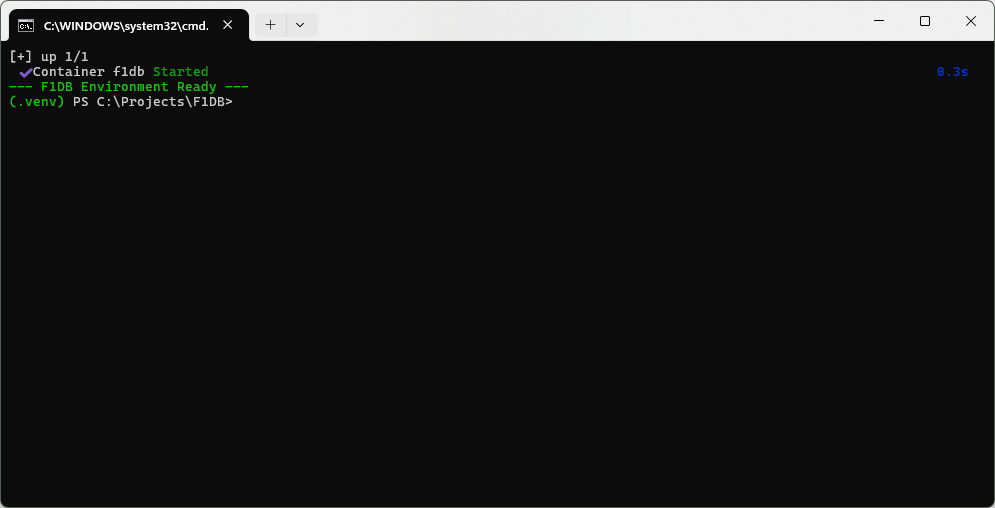
start_dev.bat
We began this project by bridging the gap between a Microsoft-centric development background and a modern Python stack. To date, we have configured the PowerShell execution policies, initialized the virtual environment, and installed the FastAPI framework alongside the necessary PostgreSQL drivers. We are now moving into the infrastructure layer, where Docker Desktop provides the containerized environment for the database.
Because re-establishing this environment manually every session introduces unnecessary friction, we are consolidating the startup process into a single automation script. This ensures that every time we return to the project, the environment is ready with a single command.
services:
  db:
    image: postgres:15
    container_name: f1db
    restart: always
    environment:
      POSTGRES_USER: f1user
      POSTGRES_PASSWORD: f1password
      POSTGRES_DB: f1db
    ports:
      - "5432:5432"
    volumes:
      - ./pgdata:/var/lib/postgresql/data
And yes…I know…there is a username and password here. This is a nothing database with no external connections, so I am keeping it simple. I am hoping I remember…gulp…later to write about branching my production code so files like this NEVER get shared by accident.
This is all good and fine, or fine and good but…I need to persist data between launches. I love the idea of “gimme the latest version of Postgres running on Docker and don’t charge me a kidney”…but I can’t do that every time…my data needs to stay, when my Docker goes…away.
Bind Mount
We’ll switch to a Bind Mount. This maps a specific folder in our project directory directly to the database’s internal storage. Replace the contents of your docker-compose.yml with this:
services:
  db:
    image: postgres:15
    container_name: f1db_postgres
    restart: always
    environment:
      POSTGRES_USER: f1user
      POSTGRES_PASSWORD: f1password
      POSTGRES_DB: f1db
    ports:
      - "5432:5432"
    volumes:
      - ./pgdata:/var/lib/postgresql/data
So we now have a start_dev.bat file that will:
- Grab the latest version of the Docker Postgres image and download it if necessary
- Launch Docker w/ the proper Postgres image and reconnect to our persistant disk which is stored on the host machine (via the YML file)
- Finally, start our Python virtual environment so we are ready to go.
I have to say at this point to any Open Source Nerds whom I have argued with, debated, insulted (to their face or otherwise), or just generally gave you the “But I…use Micro…SOFT tewls”…I apologize…this stack is brilliant, absolutely brilliant.
I know what I have documented here, has that sort of “vibe” feel to it, and I am certainly cutting corners here in the stack, at least from a security perspective but…I am constantly iterating up and back, and improving as I understand the parts. If I can’t understand the parts, I can’t understand the whole so until I understand the parts my username is username, and my password is password…and the moment that data is danger because of that credential…I know I need to know the stack at that point, or I don’t publish.
So here we are…